Your Smart Shield Against Spam. Take full control over who can reach you. CallShield uses intelligent blocking rules to silence unwanted calls, robocalls, telemarketers, and scammers โ automatically. Enjoy peace of mind with zero interruptions.
In today's digital age, unwanted phone calls have become an epidemic. Spam calls, robocalls, telemarketers, and scammers disrupt your daily life, invade your privacy, and waste your valuable time. Traditional call blocking solutions are often too basic, requiring you to manually blacklist each number after you've already been disturbed.
CallShield was designed from the ground up to be different. Our application provides a comprehensive, multi-layered defense system that works proactively to filter out unwanted calls before they ever reach you. Unlike other call blockers that rely on community-reported spam databases, CallShield puts the power entirely in your hands with six distinct blocking modes that you can customize to fit your unique lifestyle and needs.
Whether you need to block a single persistent telemarketer, silence all calls from a particular area code, or automatically reject every call during your sleeping hours, CallShield has you covered. The app operates entirely on your device, ensuring your personal call data never leaves your phone and your privacy remains fully protected at all times.
Built with a stunning cyberpunk-inspired interface and engineered using the latest Android technologies, CallShield delivers a premium experience that is both powerful and effortless to use. Our intelligent call screening service integrates directly with the Android operating system, providing reliable, system-level call interception that works seamlessly in the background without draining your battery or consuming excessive resources.

CallShield isn't just about blocking calls โ it's about reclaiming your peace of mind. Here's how CallShield transforms your daily communication experience and keeps interruptions at bay.
No more unknown callers interrupting your meetings, dinners, or sleep. Set your rules once, and CallShield silently rejects every unwanted call in the background without you ever noticing the attempt.
CallShield operates entirely offline and on-device. Your call logs, blocking rules, and personal data are never uploaded to any server. What happens on your phone stays on your phone โ always.
Heading to bed or entering an important meeting? Set a time-based schedule to automatically block all incoming calls during specific hours. Wake up refreshed without a single disturbance.
Built on Android's native Call Screening API, CallShield uses minimal system resources. No background wakelocks, no battery drain, no lag. It simply works, silently and efficiently, around the clock.
Switching phones? No problem. Export all of your custom blocking rules to a file and restore them instantly on your new device. You can even save your backup to Google Drive for safe keeping.
Every blocked and allowed call is logged with full details. Review your call history at any time to see how many spam attempts were silenced, who tried to reach you, and when the calls occurred.
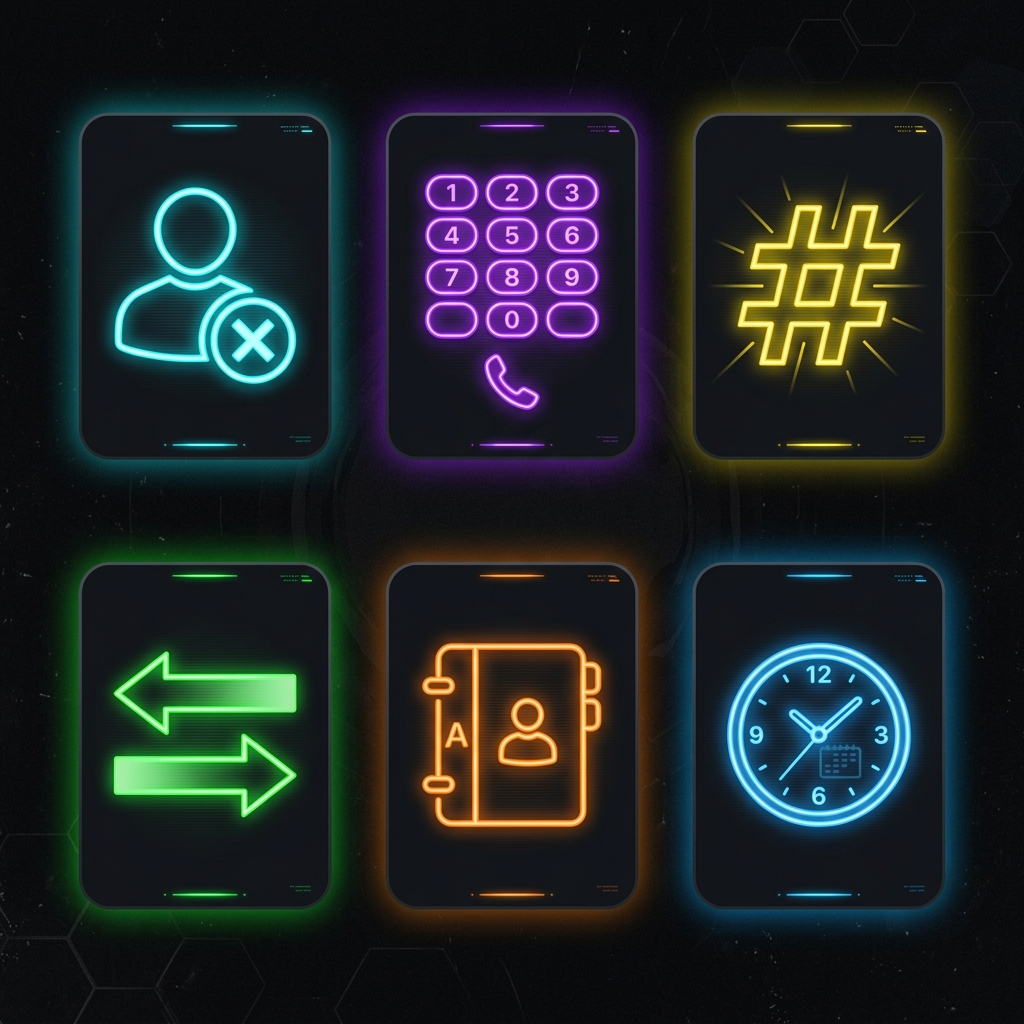
Mix and match these six blocking modes to build the perfect defense system for your phone. Each mode targets a different type of unwanted call pattern.
Block all incoming calls from numbers that are not saved in your contacts list. A simple toggle that provides instant protection from unrecognized callers.
Manually add specific phone numbers to your blacklist. Perfect for blocking persistent telemarketers or known spam callers that keep calling back.
Block entire area codes or number prefixes at once. Enter a few starting digits and CallShield will reject all calls beginning with that pattern.
PRODefine a numerical range to block a sequence of consecutive numbers. Ideal for blocking batches of automated robocall numbers generated in sequence.
PROSelect specific individuals from your phonebook. Block them without deleting their contact information. Clean, simple, and discreet.
Set automatic blocking time windows โ like "Sleep Mode" from 10 PM to 6 AM. All calls are silently rejected during your scheduled quiet hours.
PROCallShield is built using modern Android APIs to ensure reliability and performance. Here are the minimum requirements to run CallShield on your device.
CallShield requires Android 10 or later to function properly. This is because the app relies on the Android Call Screening API, which was introduced in Android 10. This system-level API allows CallShield to intercept and screen incoming calls efficiently, without requiring root access or invasive permissions. If you are running an older version of Android, you will need to update your operating system before installing CallShield.
For CallShield to actively block calls, you must set it as your default call screening application. When you first open the app, you will see a button labeled "Set as Default Spam App." Tapping this button triggers a system dialog that grants CallShield the necessary permission to screen and reject calls. This is a critical one-time setup step โ without it, CallShield cannot intercept incoming calls.
CallShield operates entirely offline. All blocking rules are stored locally on your device using a secure SQLite database. No internet connection is needed for the blocking engine to work. You only need internet access if you wish to purchase the PRO upgrade through Google Play or use the Backup feature with Google Drive.
The app is lightweight, requiring less than 10 MB of storage space. CallShield uses minimal RAM and has no persistent background service that drains your battery. The call screening service is managed directly by the Android operating system, meaning it only activates for a fraction of a second when an incoming call is detected.
If you wish to use the "Unknown Number Blocking" or "Contact Blocking" features, you will need to grant CallShield access to your contacts. This permission is optional and can be revoked at any time from your device settings. CallShield only reads your contact names and numbers to determine whether an incoming caller is known โ it never modifies, uploads, or shares your contact data.
To unlock the PRO version, your device must have Google Play Services installed and up to date. The PRO upgrade is processed securely through Google Play Billing and is a one-time purchase that unlocks all premium features forever โ no subscriptions, no recurring payments, and no hidden fees.
Download CallShield for free and enjoy 7 days of unrestricted access to all features.
DOWNLOAD FREE ON GOOGLE PLAY